Create a new class in your project named GUIMonthNames, with superclass javax.swing.JFrame, and with a method stub for public static void main(String[] args). As in the last lab write a constructor that does all the usual housekeeping:
public GUIMonthNames() {
  super("Month Names: GUI version");
  setSize(400,400);
  setDefaultCloseOperation(EXIT_ON_CLOSE);
  setVisible(true);
  Container myPane = getContentPane();
  myPane.setLayout(new FlowLayout());
}
Be sure to import the usual classes:
import javax.swing.*;
import java.awt.*;
import java.awt.event.*;
Also be sure to call the constructor by adding new GUIMonthNames(); to the main() method. Now let's tell the user story:
I want you to use a JLabel (see the documentation) to provide the user instructions. I want you to use a JTextField to input the number and output the results. Accordingly, you declare:
	private JLabel instructions;
	private JTextField data;
and add these lines to the constructor:
		instructions = new JLabel("Enter a number (1-12) below");
		data = new JTextField(20);
To see the meaning of the 20 as an argument to the JTextField constructor
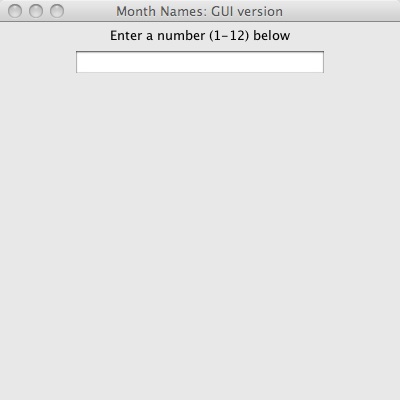
you should consult the API documentation.At this point you should compile and run your program. You should see a JFrame, something like this:
Of course nothing works yet!
		data.addActionListener(new ActionListener() {
			public void actionPerformed(ActionEvent e) {
				int monthNumber = new Integer(data.getText());
        // add your code here
			}
		});
You will need to add the code from the main method of your non-GUI
program from the previous exercise. Mostly it will be unchanged, but there will be some small modifications: